> For the complete documentation index, see [llms.txt](https://docs.agentnoon.com/llms.txt). Markdown versions of documentation pages are available by appending `.md` to page URLs; this page is available as [Markdown](https://docs.agentnoon.com/changelog/release-notes/may-2025.md).
# May 2025
Explore Agentnoon's Latest Product Updates - May 2025
May Highlights
This month’s updates bring deeper structural visibility, precise planning signals, and faster team collaboration enabling you to go from org-wide insights to position-level action, faster and with more clarity.
## 🚀 What's New?
### Sunburst Chart
View your org from the top down with our new Sunburst chart. You can now scan the full hierarchy, identify top-heavy structures, zoom into problem areas, and recenter instantly.
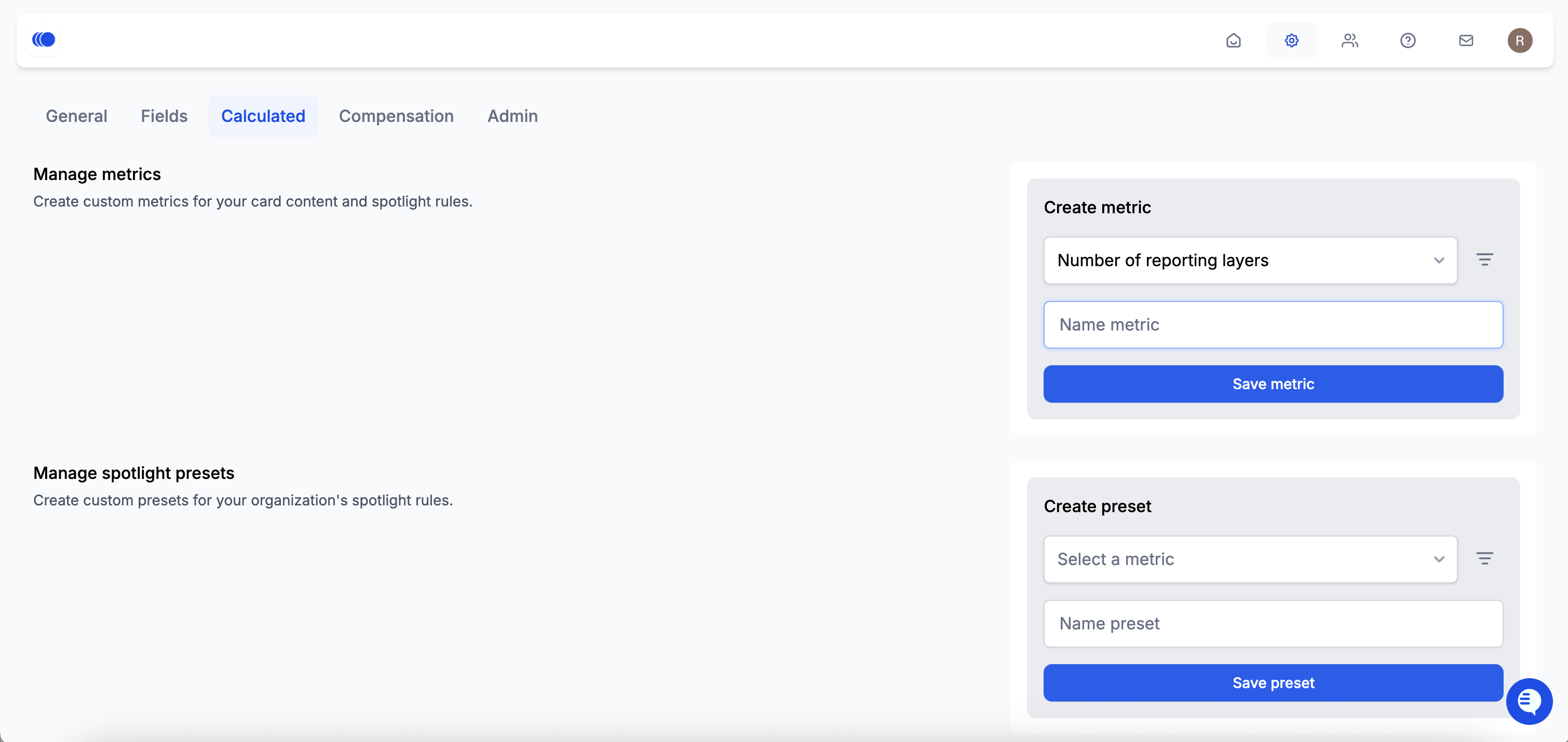
### Custom metrics
Customize and display metrics tailored to your org, like reporting layers, span of control and SOC. Add filters and rename them to reflect your planning language. Display these across employee cards on your org chart for quick structural context.
### Spotlight presets
Create custom presets for your organization's spotlight rules. Define new spotlight rules based on custom metrics relevant to your organization and
### Position-level chart data
You can now view position level data for each chart segment. Tabular chart views now allow you to see the detailed breakdown of the positions contributing to that segment value, along with other relevant position level details.
### Bulk access scope invitations
You can now onboard teams faster with bulk invitations. Paste a list of emails and assign access in one go without needing to configure permissions individually.
* Replicate access: choose an existing user and give all invitees the same access scope as the selected user
* New access: apply a pre-existing access group to all invitees
Note: New users are highlighted in green, while pending or existing users appear in blue. Email invites are only sent to new users.
### Set org chart roots
You can now manually define one or more org chart roots to control how your org is visualized.
## **✅** Improvements
### Dropdown values for fields
In addition to choosing from existing predefined values, you can now you can now add new field values and use them while collaborating on scenarios.
### Unified card fields
Custom and calculated fields now appear under one tab in employee cards. Agentnoon-calculated fields are marked with an **fx** icon, making it easier to find and compare key data.
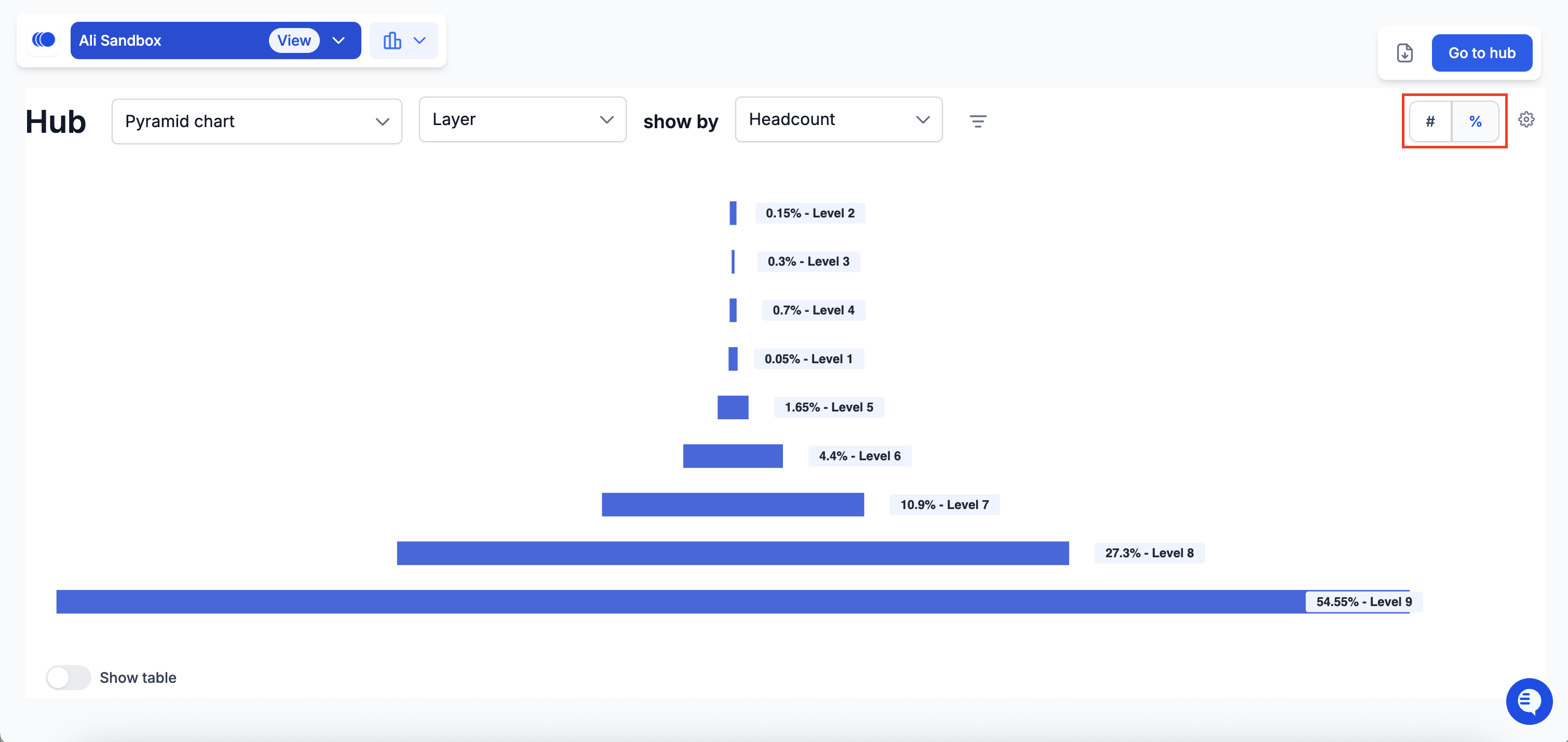
### Percentage view in Pyramid charts
You can now toggle between absolute values and percentages to better understand distribution across levels.
### Access scope
Admins can now grant access to the entire company with a single click using **Select all data** in access scopes.
**+85 more improvements, bug fixes, and stability updates.**