> For the complete documentation index, see [llms.txt](https://docs.agentnoon.com/llms.txt). Markdown versions of documentation pages are available by appending `.md` to page URLs; this page is available as [Markdown](https://docs.agentnoon.com/changelog/release-notes/december-2024.md).
# December 2024
### December Highlights
As we wrap up the year, we’re reflecting on the progress we’ve made together to make organizational transformation more efficient. This month’s updates bring expanded forecasting, improved visualization, and advanced workforce analytics - helping you end the year strong and step into the next with greater clarity and control.
### 🚀 What's New?
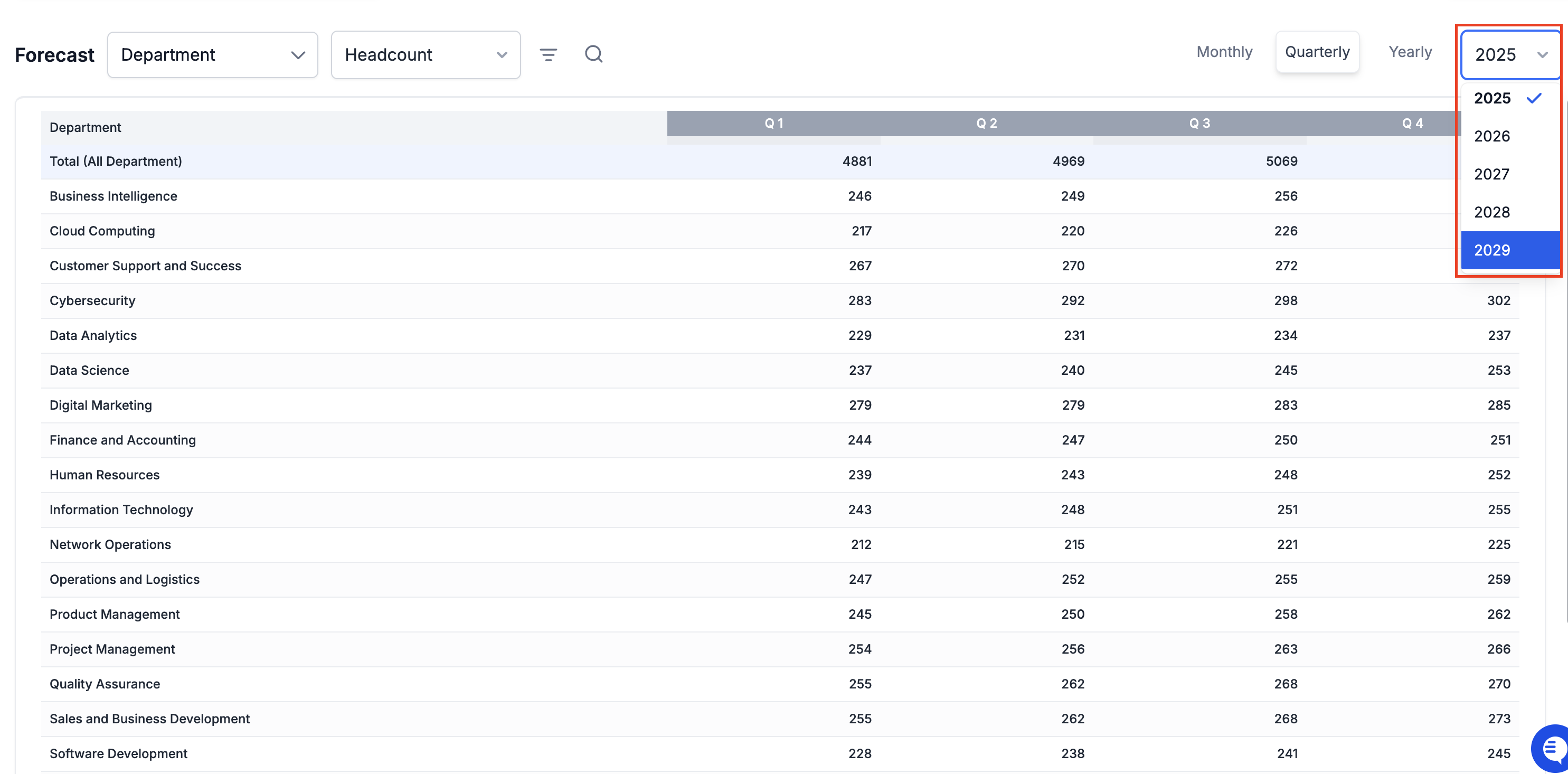
**Forecasting Enhancements**
You can now plan headcount and costs for the next four years, providing better visibility into future workforce needs.
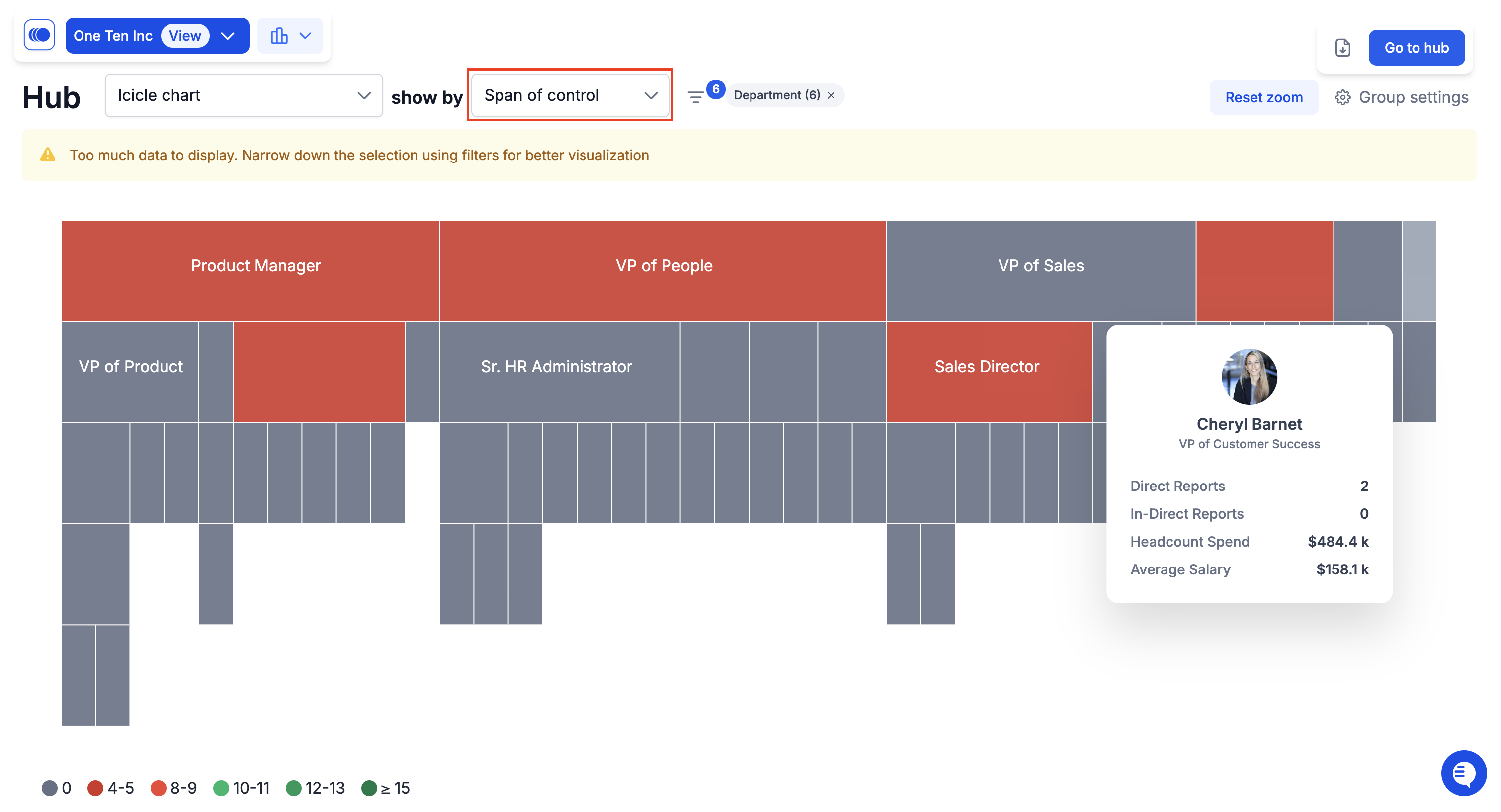
**Icicle Chart Improvements**
The icicle chart can now be visualized by **span of control**, offering a clearer perspective on managerial spans and how responsibilities are distributed across your organization.
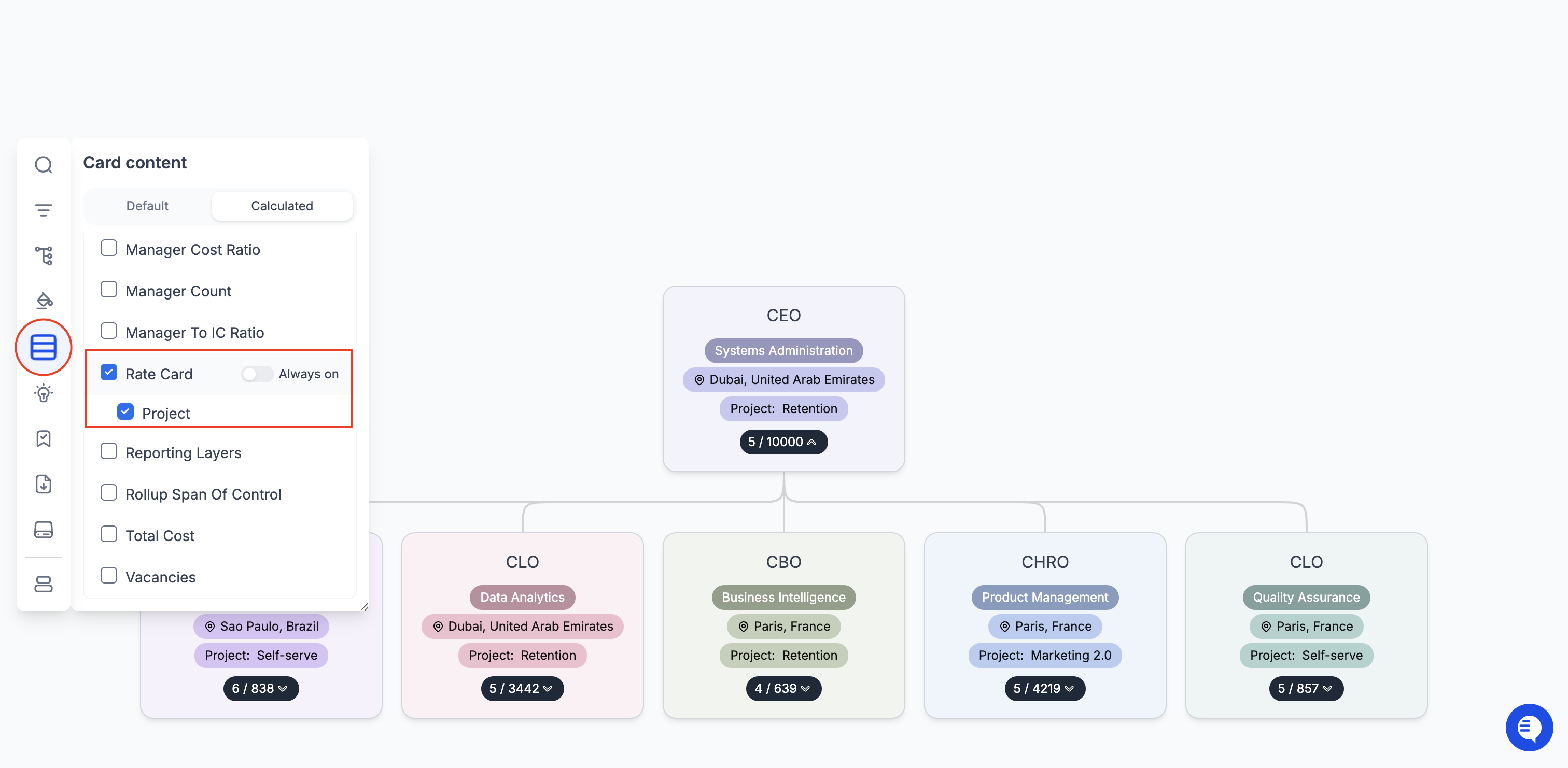
**Rate Card Enhancements**
You can now display rate card attributes directly on the org chart.
1. **Select Rate Card attributes:**\
Go to the **calculated fields** section in **card content** and select Rate Card.

2. **Display on org chart:**\
Choose to display all rate card fields or select specific ones.
**Detailed Summary View**
Summary View now provides a detailed financial breakdown of scenario changes, to your custom formulas, such as Total employer cost, alongside total values.

**Slide Pack Templates**
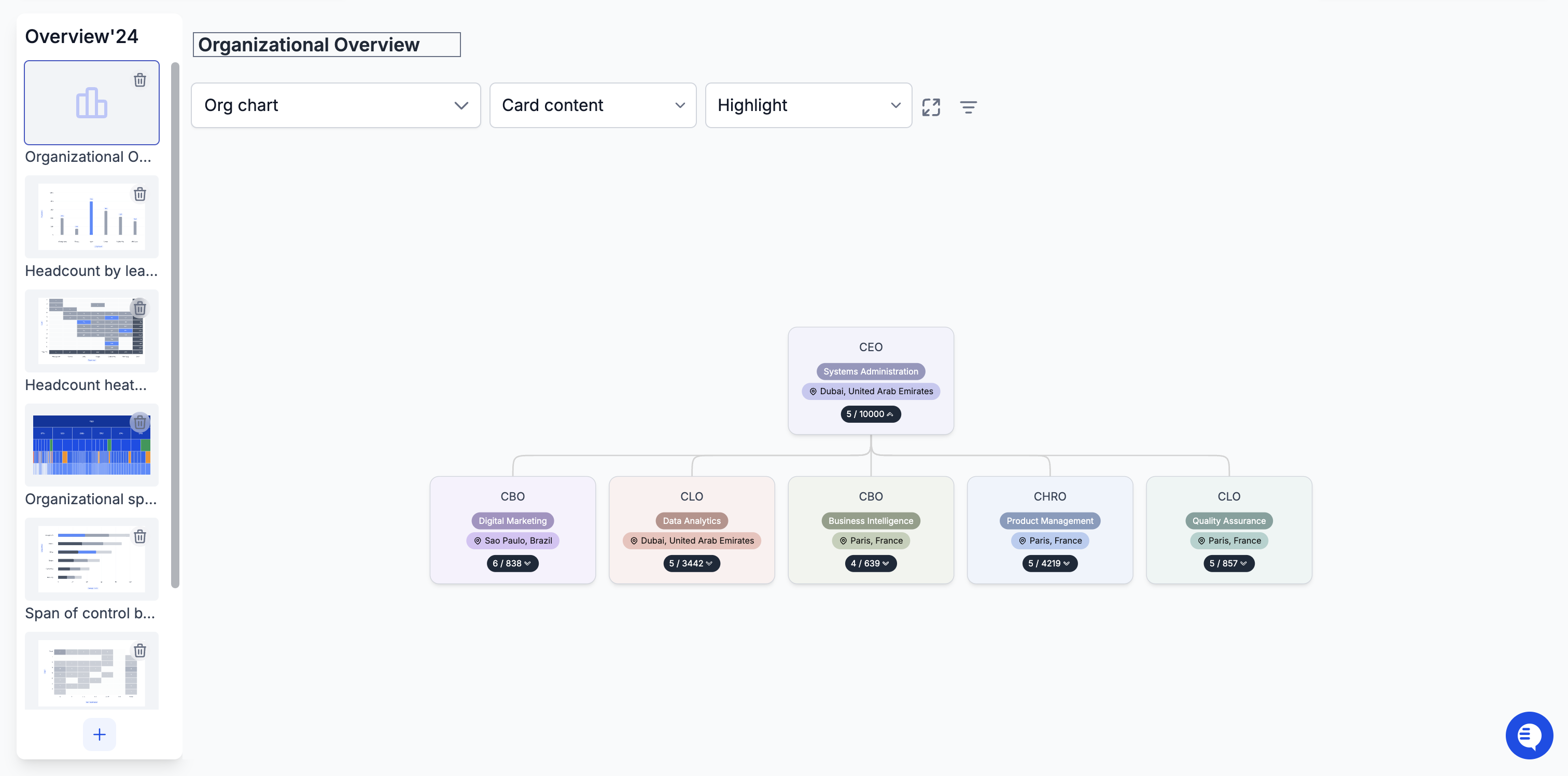
You can generate reporting presentations even faster with Slide Pack templates, that can be customized with filters and other configurations.
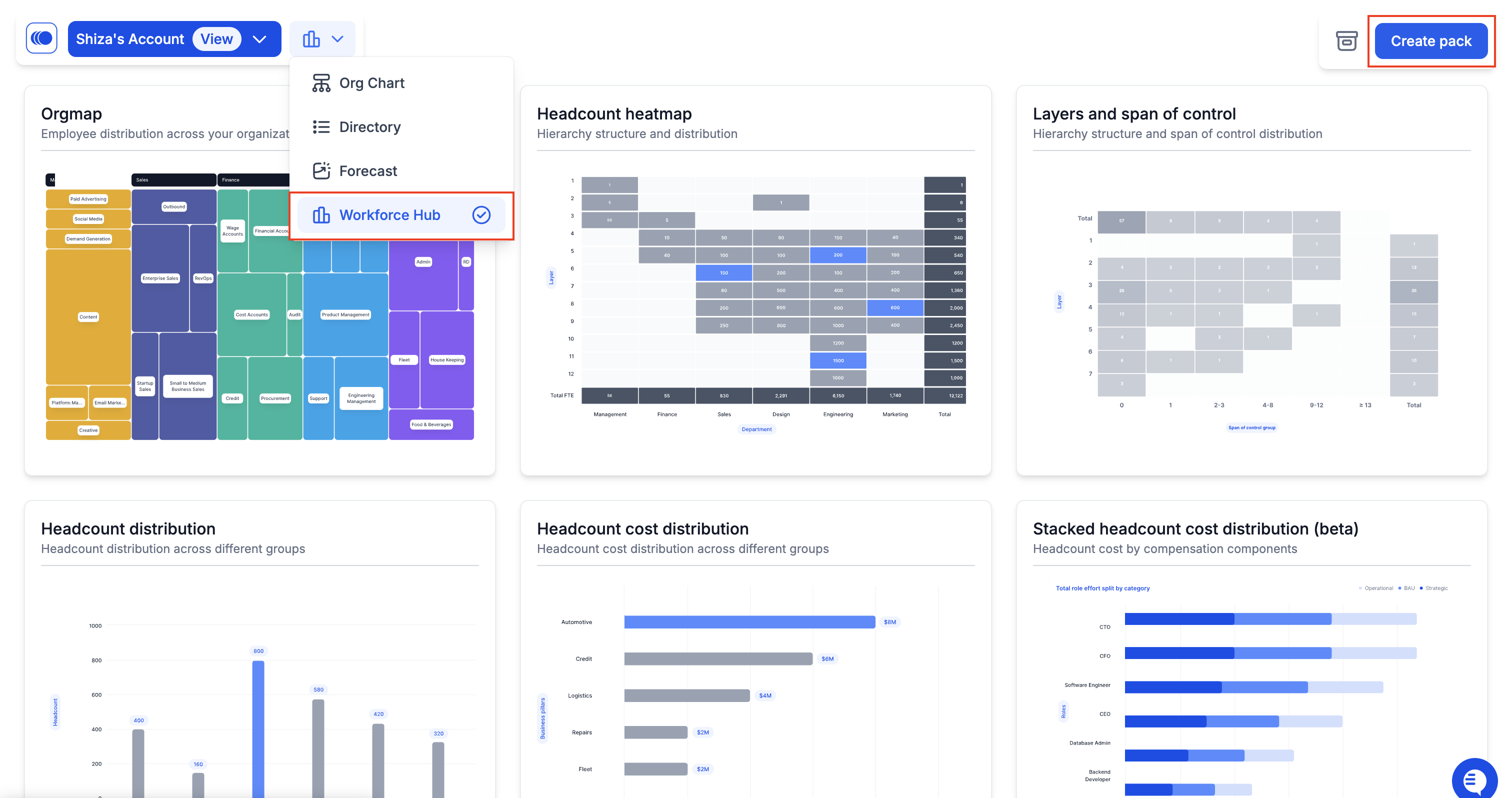
1. **Create a new Slide Pack:**\
Navigate to Workforce Hub, and click on **Create Pack.**
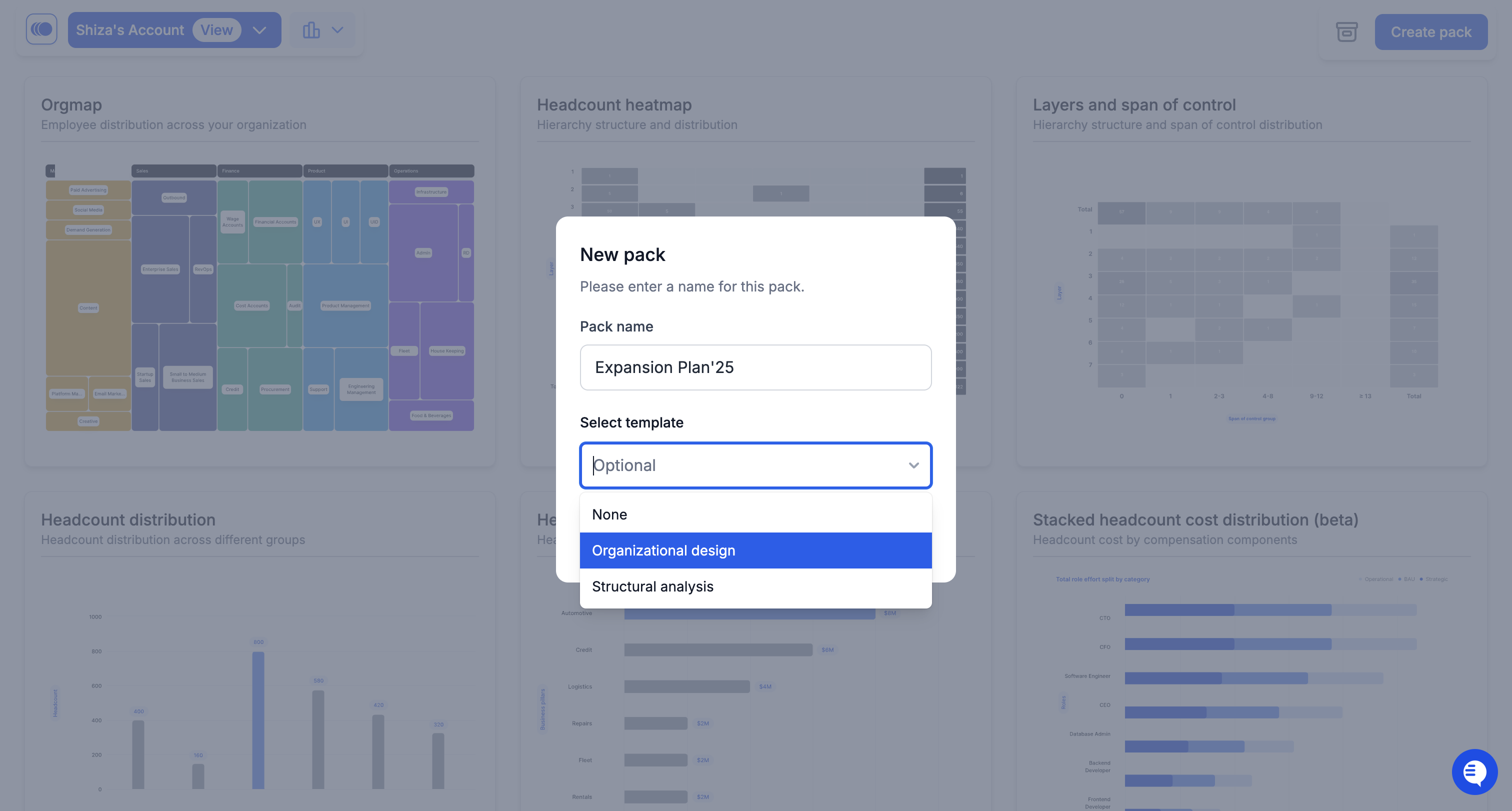
2. **Select a template**\
Give your pack a name and choose a template.
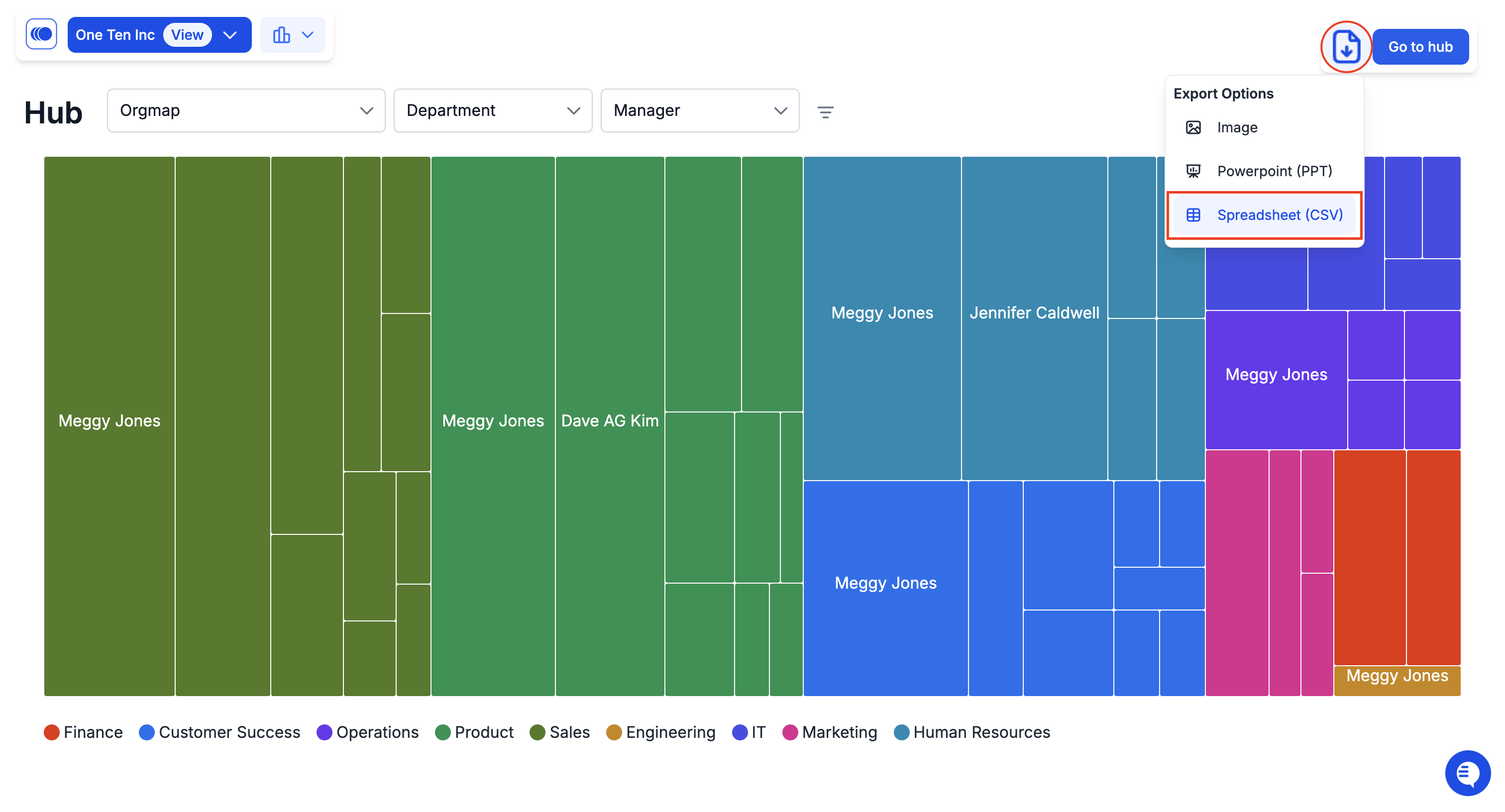
3. **Export Options for Hub Charts**\
Hub charts' raw data can now be exported in **CSV format**, along with PowerPoint and image options.
### ✅ Improvements
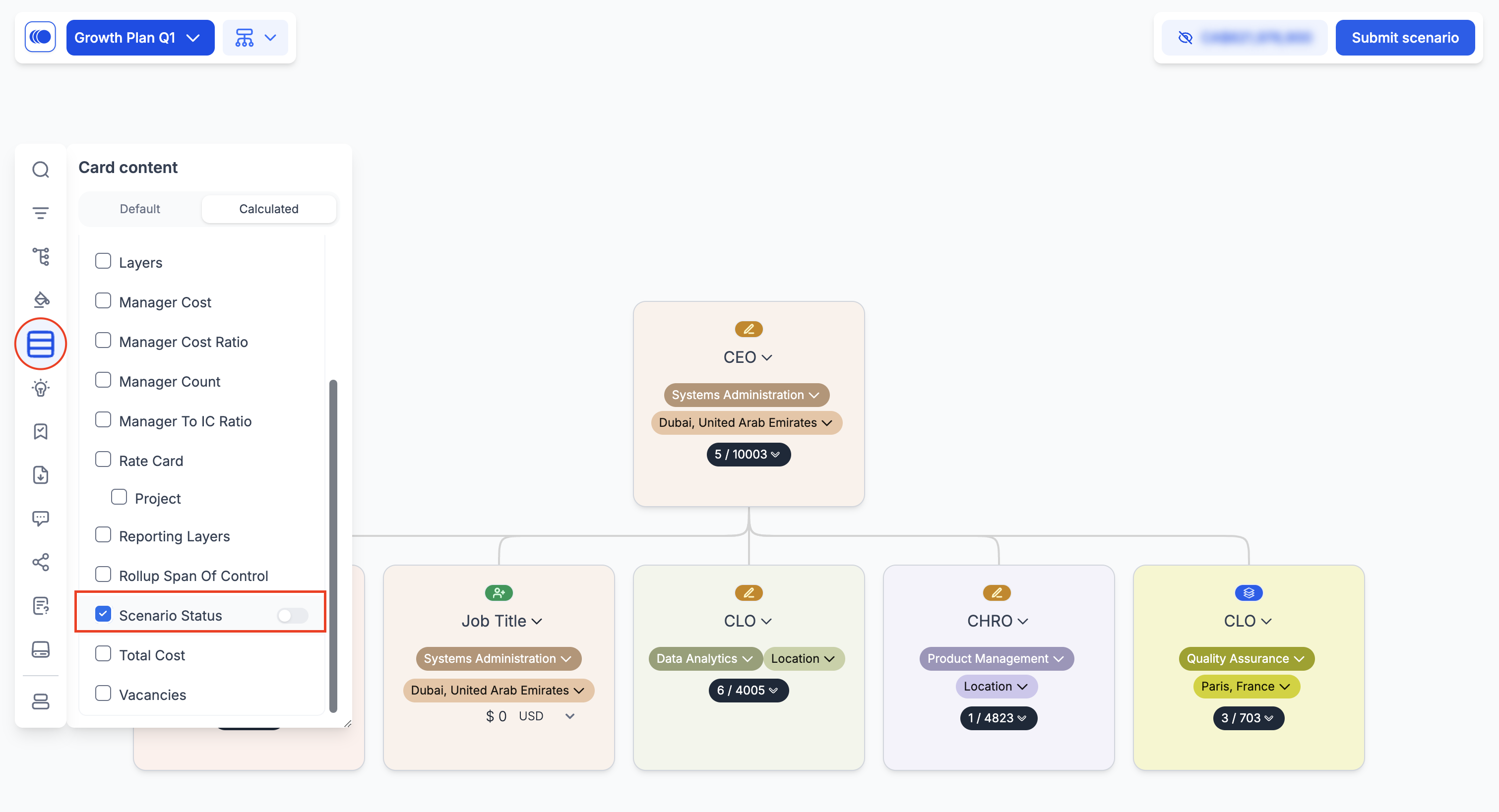
**Scenario Status Display Options**
You now have full control over the visibility of scenario status indicators like RIF and Additions within card content settings.
**Org chart in Slide Packs**
Org chart has now been added in slide packs for comprehensive reporting.
**Customizable Card Content**
Employee names are now optional to display on card content, and are no more a default field.

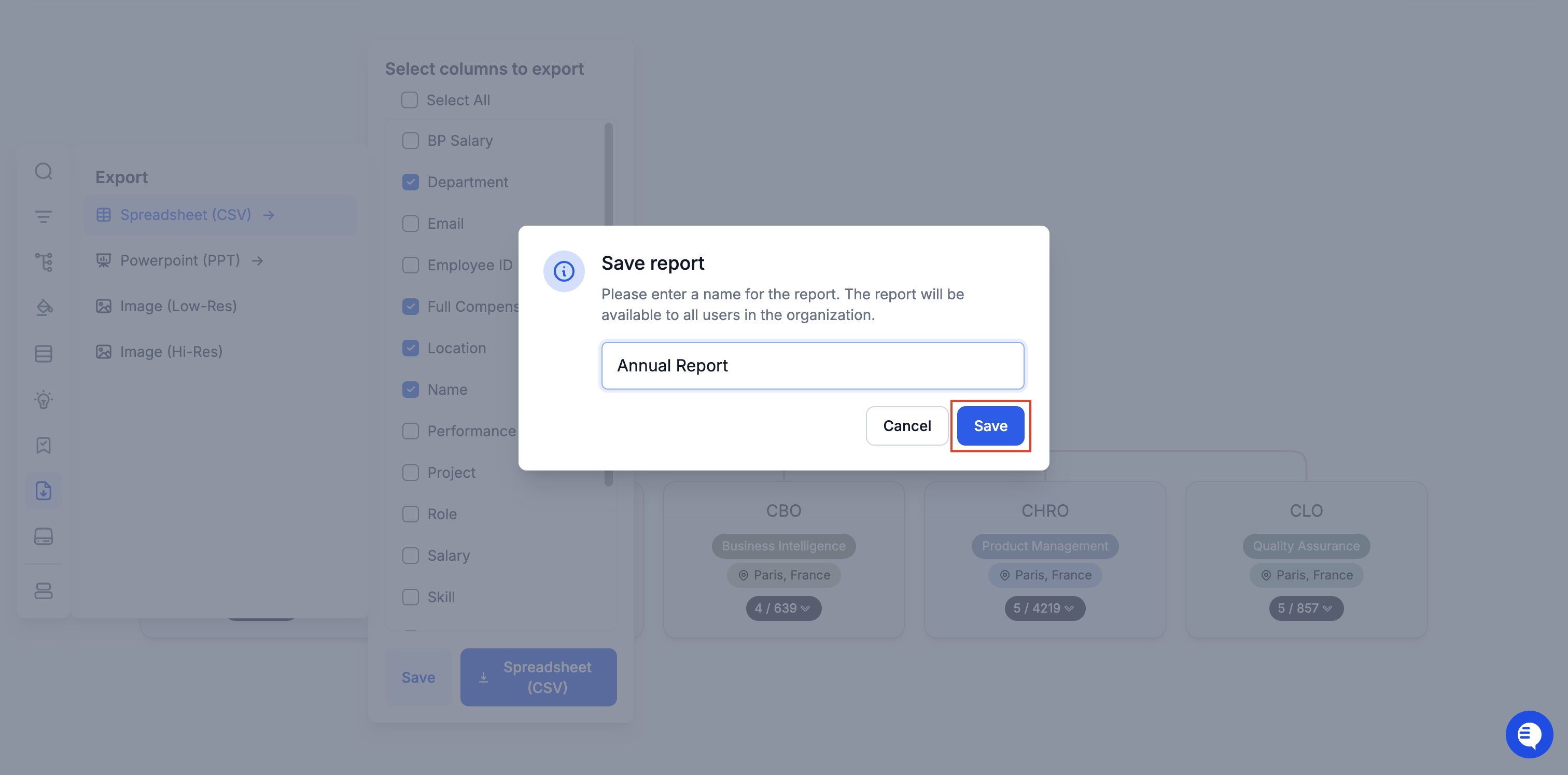
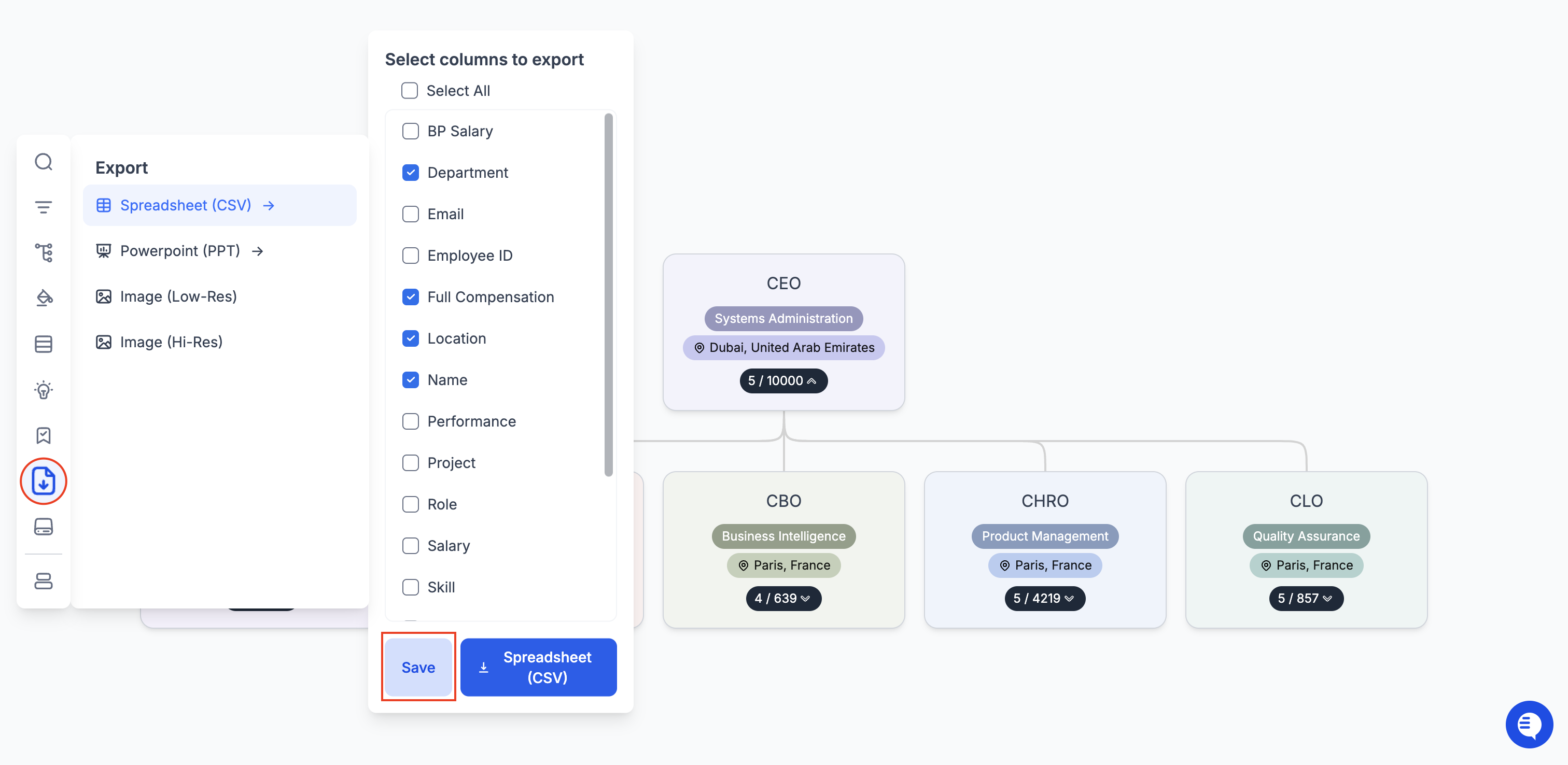
**One-Click Export Templates**
Save export configurations for quick, one-click report generation.
1. **Create an export template**\
Within CSV export, customize export settings by selecting specific fields and configurations, then click Save.
2. **Save the template**\
Name, and **Save** the report as a reusable template for future org chart exports.
**+90 more improvements and bug fixes**
These updates were shaped by your feedback to provide better control and insights. As we head into the new year, we’re excited to continue improving Agentnoon to meet your needs.\
\
Thank you for being part of our journey - more exciting updates are on the way.
---
# Agent Instructions
This documentation is published with GitBook. GitBook is the documentation platform designed so that both humans and AI agents can read, navigate, and reason over technical content effectively. Learn more at gitbook.com.
## Querying This Documentation
If you need additional information that is not directly available in this page, you can query the documentation dynamically by asking a question.
Perform an HTTP GET request on the current page URL with the `ask` query parameter, and the optional `goal` query parameter:
```
GET https://docs.agentnoon.com/changelog/release-notes/december-2024.md?ask=&goal=
```
`ask` is the immediate question: it should be specific, self-contained, and written in natural language.
`goal` is optional and describes the broader end goal you are ultimately trying to accomplish on behalf of the user. GitBook uses it to tailor the answer towards what is most useful for that goal.
The response will contain a direct answer to the question and relevant excerpts and sources from the documentation.
Use this mechanism when the answer is not explicitly present in the current page, you need clarification or additional context, or you want to retrieve related documentation sections.
 3. **Export Options for Hub Charts**\
Hub charts' raw data can now be exported in **CSV format**, along with PowerPoint and image options.
3. **Export Options for Hub Charts**\
Hub charts' raw data can now be exported in **CSV format**, along with PowerPoint and image options.
 2. **Save the template**\
Name, and **Save** the report as a reusable template for future org chart exports.
2. **Save the template**\
Name, and **Save** the report as a reusable template for future org chart exports.