> For the complete documentation index, see [llms.txt](https://docs.agentnoon.com/llms.txt). Markdown versions of documentation pages are available by appending `.md` to page URLs; this page is available as [Markdown](https://docs.agentnoon.com/admin-capabilities/overview-1/updating-login-method.md).
# Updating Login Method
Update your authentication and switch to SSO
### **Overview**
If you need to change how you log in, follow these steps to update your authentication method:
### Log in to Your Agentnoon Account
Sign in to Agentnoon as you normally would using your existing authentication provider (e.g., email, Google, or another SSO method).
### Open Your Profile Settings
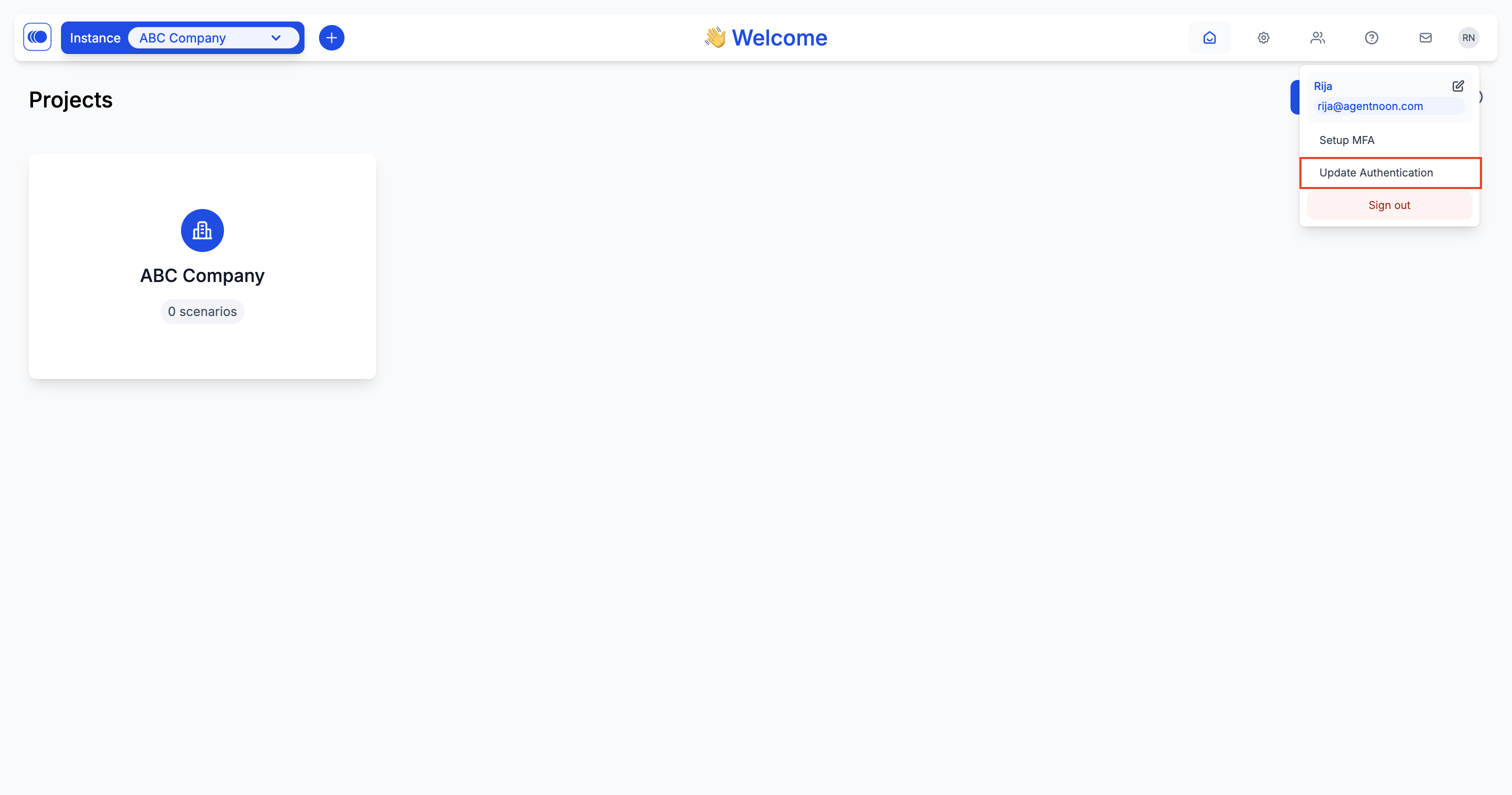
* Click on your profile icon in the top right corner of the screen.
* A dropdown menu will appear.
* Select **"Update Authentication"** from the dropdown menu.
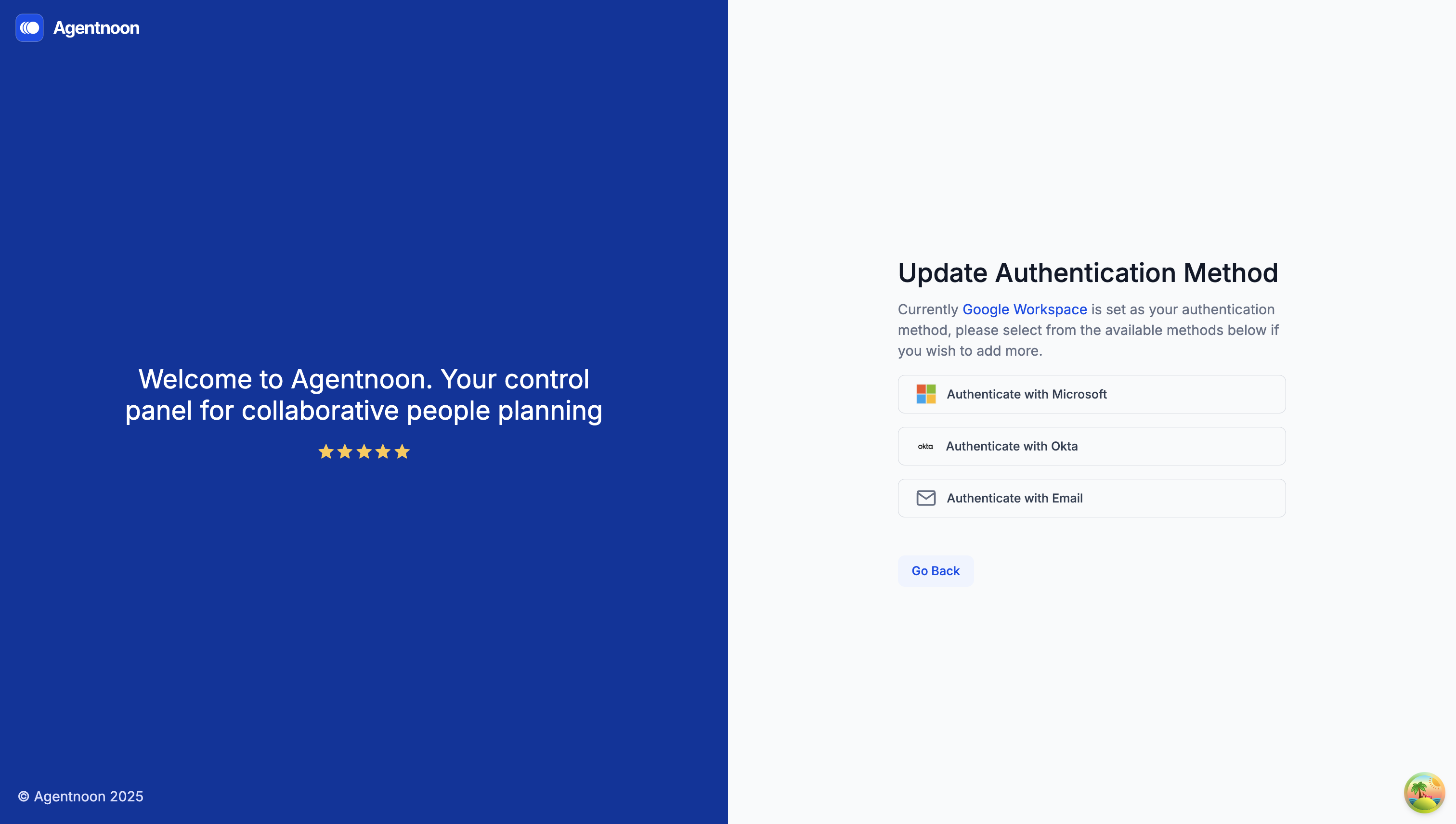
### Update Authentication Method
* A list of available authentication providers will be displayed.
* Choose a new login method from the list (e.g., switch from email/password to Google SSO).
### Complete the Setup
* Follow the instructions to set up your new login method.
* Once done, the system will take you back to the home page.
### Confirm Your New Login Method
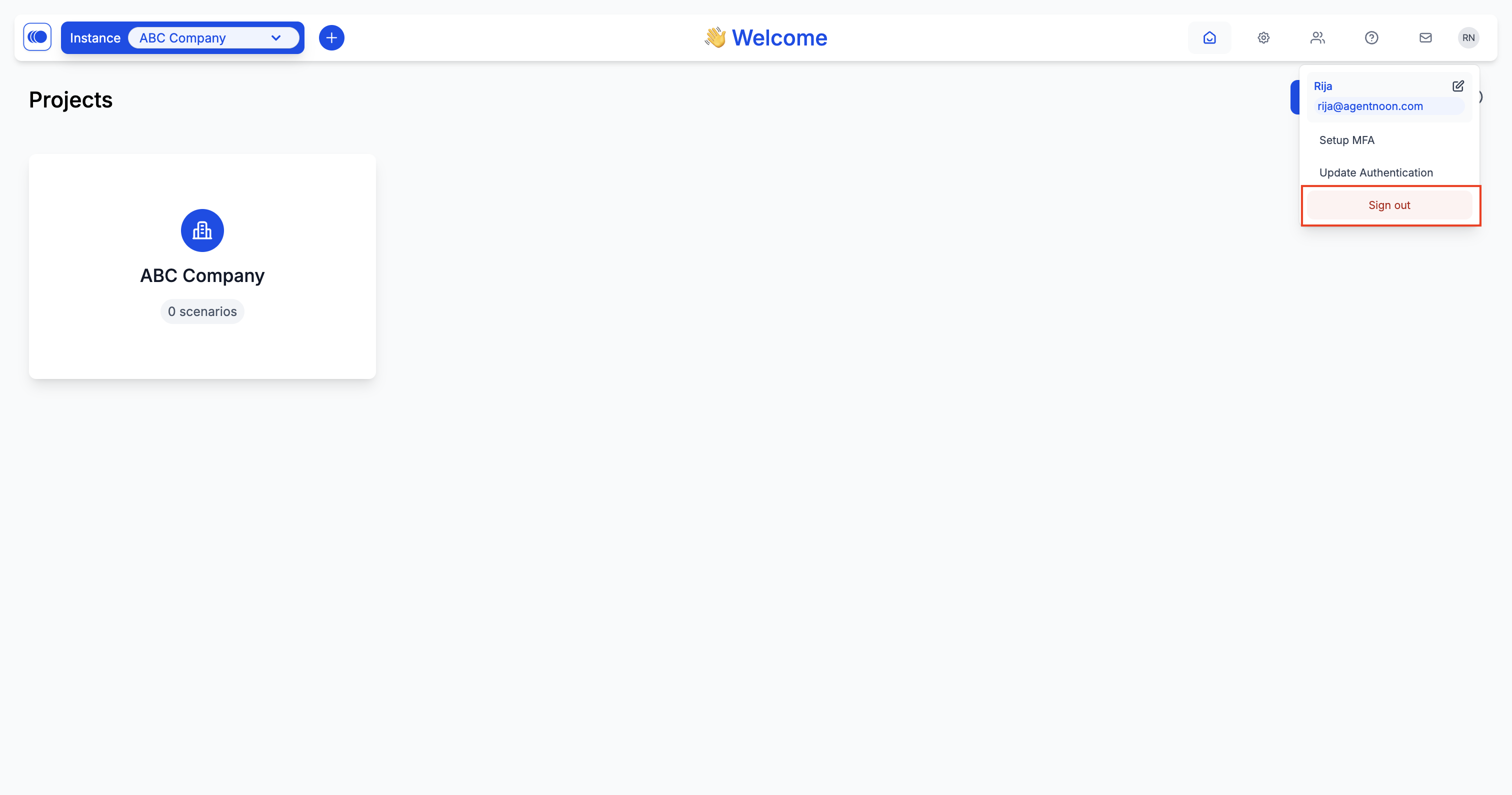
* Open the profile menu again and select "Sign out".
* Now, sign back in using the newly selected authentication method to confirm the update.
Your login method is now updated! If you face any issues, contact support for assistance.